Как проверить оперативную память: 2 способа. Программа Memtest86
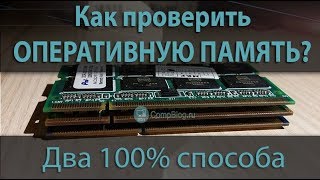 Рассказываем два способа, как проверить оперативную память компьютера или ноутбука на ошибки. Проверяем ОЗУ программой Memtest86. Ссылка на программу: http://www.memtest86.com
Отзывы: За видео спасибо! В самом текстовом файле ReadMe из распакованной папки программы написано, что для того чтоб восстановить реальный размер флешки надо сначало сделать 3. пункт Zero USB drive и потом Reformat USB drive
Reclaiming disk space from the USB drive
========================================
You may have noticed that the MemTest86 USB drive you have created may have lost some
disk space and normal formatting will not recover the lost space.
For example, this can happen when a UFD contains multiple partitions, such as the
MemTest86 image. Formatting will not span across multiple partitions/volume.
To erase the partition records and reclaim the whole disk, you will need to
zero the MBR.
WARNING: THIS PROCESS WILL COMPLETELY DELETE THE DATA ON THE DRIVE
1. Insert UFD.
2. Launch imageUSB and select the appropriate UFD. (Be careful and select the correct drive).
3. Choose the Zero UFD option & Run.
4. Drive MBR is now Zeroed. You will need to reinsert the drive for Windows to recognize it
and prompt for formatting before you can use it again. A normal format will now recover
the full capacity of the USB drive.
Рассказываем два способа, как проверить оперативную память компьютера или ноутбука на ошибки. Проверяем ОЗУ программой Memtest86. Ссылка на программу: http://www.memtest86.com
Отзывы: За видео спасибо! В самом текстовом файле ReadMe из распакованной папки программы написано, что для того чтоб восстановить реальный размер флешки надо сначало сделать 3. пункт Zero USB drive и потом Reformat USB drive
Reclaiming disk space from the USB drive
========================================
You may have noticed that the MemTest86 USB drive you have created may have lost some
disk space and normal formatting will not recover the lost space.
For example, this can happen when a UFD contains multiple partitions, such as the
MemTest86 image. Formatting will not span across multiple partitions/volume.
To erase the partition records and reclaim the whole disk, you will need to
zero the MBR.
WARNING: THIS PROCESS WILL COMPLETELY DELETE THE DATA ON THE DRIVE
1. Insert UFD.
2. Launch imageUSB and select the appropriate UFD. (Be careful and select the correct drive).
3. Choose the Zero UFD option & Run.
4. Drive MBR is now Zeroed. You will need to reinsert the drive for Windows to recognize it
and prompt for formatting before you can use it again. A normal format will now recover
the full capacity of the USB drive.Дата: 2019-03-12 CompoLife
Похожие видео


Добавить отзыв, комментарий
Недавно смотрели

![Самая сложная логическая задача [ever]](/video/img/3/e5R9GkEpmMA.jpg)
Онлайн Мини-Игры
• Машины • Головоломки • Шарики • Стрелялки • Бродилки • Стратегии • Симуляторы • Настольные • Карты • Другие
Новые Комментарии
Ка4ка.ру - все для твоей Хороший был чат .. ...
HDDTurbo
После установки сломал винду пришлось долго переустанавливат ...
Вотспик модпак - Сборка м
Пишет мод на 1.44 а скакчивается на 1.43 измените пожалуйста ...
MICRO-CAP 12.2.0.5
На 10й вроде был русик. Работал на нём. Хорошая прога для ан ...
Process Explorer
Утилита передает информацию о нагрузке на центральный процессор, опера ...
Вконтакте
